How to Record Petty Cash Purchases in QuickBooks Online
How to Record Petty Cash Purchases in QuickBooks Online
Petty cash purchases are small business expenses paid with cash on hand. Recording each purchase as an expense against the Petty Cash account keeps the float accurate and makes sure every shilling spent is categorised properly in your books.
Step 1 – Open a New Expense
A Create (+) – Click the Create button at the top of the left navigation bar to open the transaction menu.
B Expense – Select Expense under the Suppliers column to open a new expense transaction.
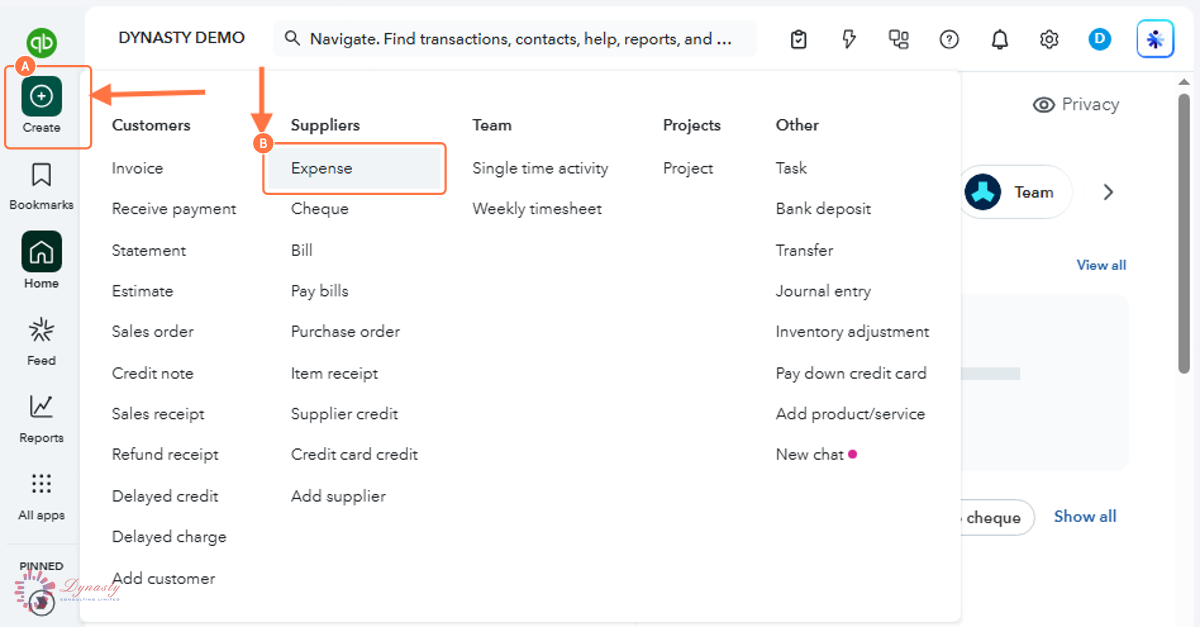
Figure – Opening a new expense
Step 2 – Complete the Expense Details and Save
A Payee – The person or business you paid.
B Payment account – Select the Petty Cash account — this is what deducts the purchase from the float.
C Payment Date – The date of the purchase, so it lands in the correct accounting period.
D Payment Method – Select Cash.
E Ref no. – The receipt or voucher number, so the entry can be matched to the paper record.
F Category – The expense category that best describes the purchase.
G Description – A brief description of what was bought.
H Amount – The amount paid from petty cash.
I Save and close – Records the purchase and deducts the amount from the Petty Cash balance.
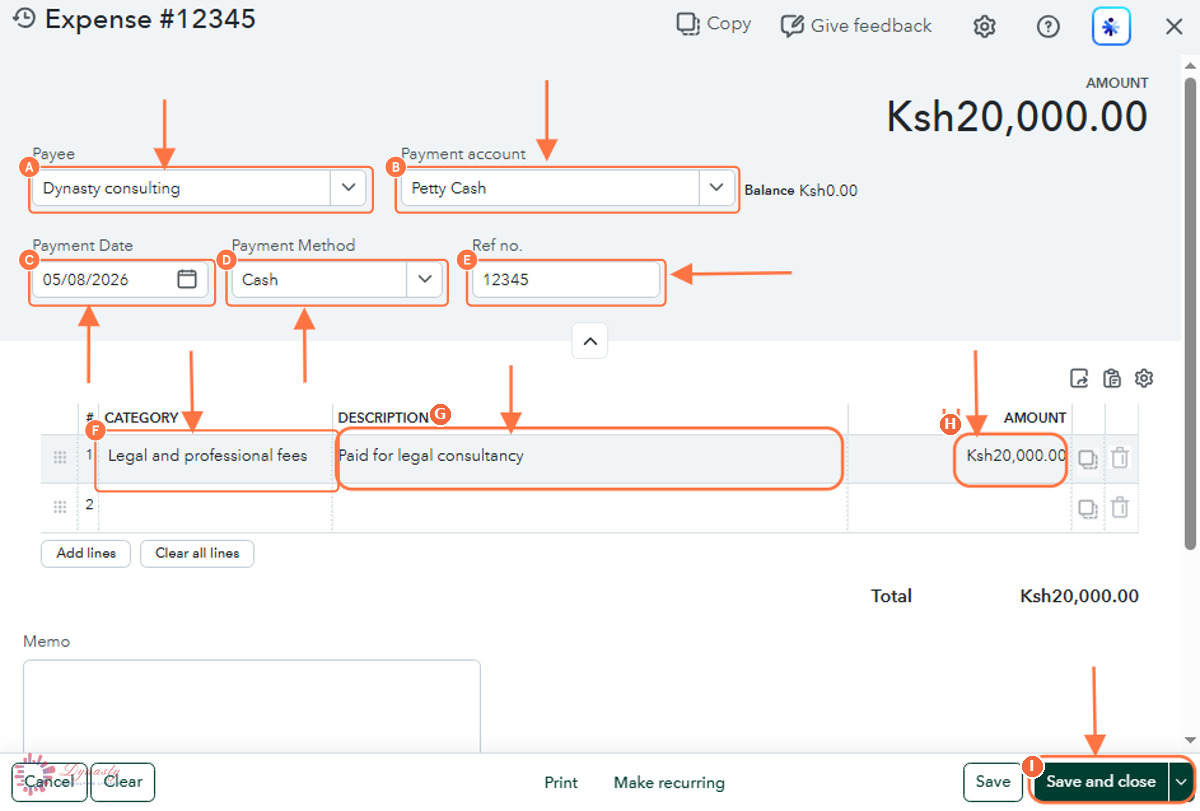
Figure – Completing the petty cash expense
How to Record Petty Cash Purchases in QuickBooks Online
Petty cash purchases are small business expenses paid with cash on hand. Recording each purchase as an expense against the Petty Cash account keeps the float accurate and makes sure every shilling spent is categorised properly in your books.
Last Updated
Aug 19, 2026
Software
QuickBooks Online 2026
What You Will Learn
By the end of this guide you will be able to open a new expense, point it at the Petty Cash account, complete the payment and category details, and save the purchase.
Before You Begin
A Petty Cash account must exist in the Chart of Accounts and hold a float. Keep the receipt for every purchase — the reference number field is where you record it.
Tip
Reconcile the petty cash box regularly: count the cash, add the receipts, and the total should equal the float. The QuickBooks balance shown next to the Payment account field is what the count should match.
Step 1 – Open a New Expense
There are no comments for now.
to be the first to leave a comment.