How to Pay Bills in QuickBooks Online
How to Pay Bills in QuickBooks Online
Paying bills records the payments you make to suppliers against their outstanding bills. It keeps accounts payable up to date, builds a clean payment history, and stops paid bills from showing as still owing.
Step 1 – Open Pay Bills
A Create (+) – Click the Create button at the top of the left navigation bar to open the transaction menu.
B Pay bills – Select Pay bills under the Suppliers column.
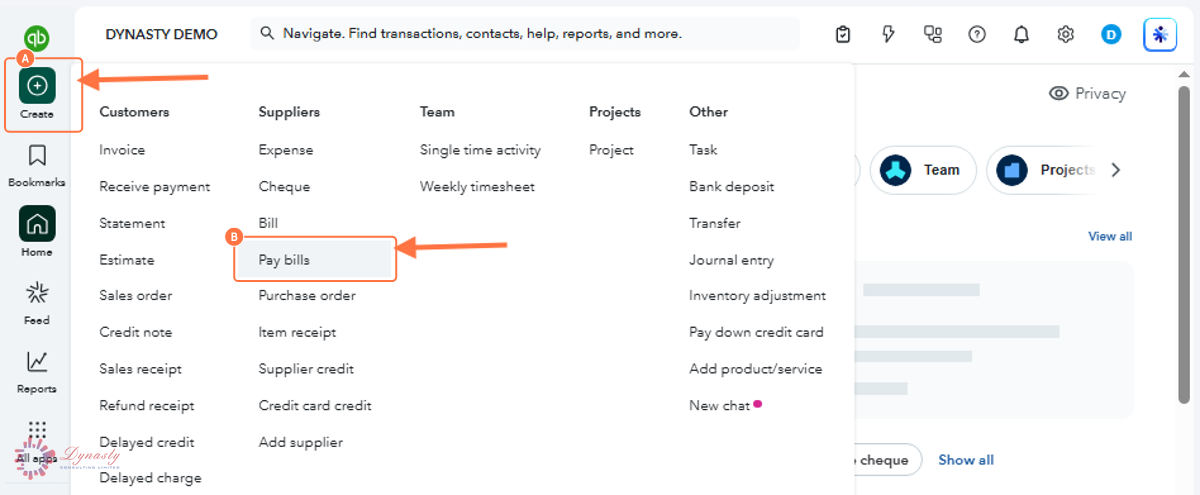
Figure – Opening Pay bills
Step 2 – Complete the Payment and Save
A Payment account – The account the funds come from — a bank account, credit card or petty cash.
B Payment date – The date the payment is made.
C Bill checkbox – Tick each bill you are paying. The open balance fills the Payment column automatically — edit it for a part-payment.
D Save – Records the payment. The total at the top updates as you tick bills, so check it matches what actually left the account.
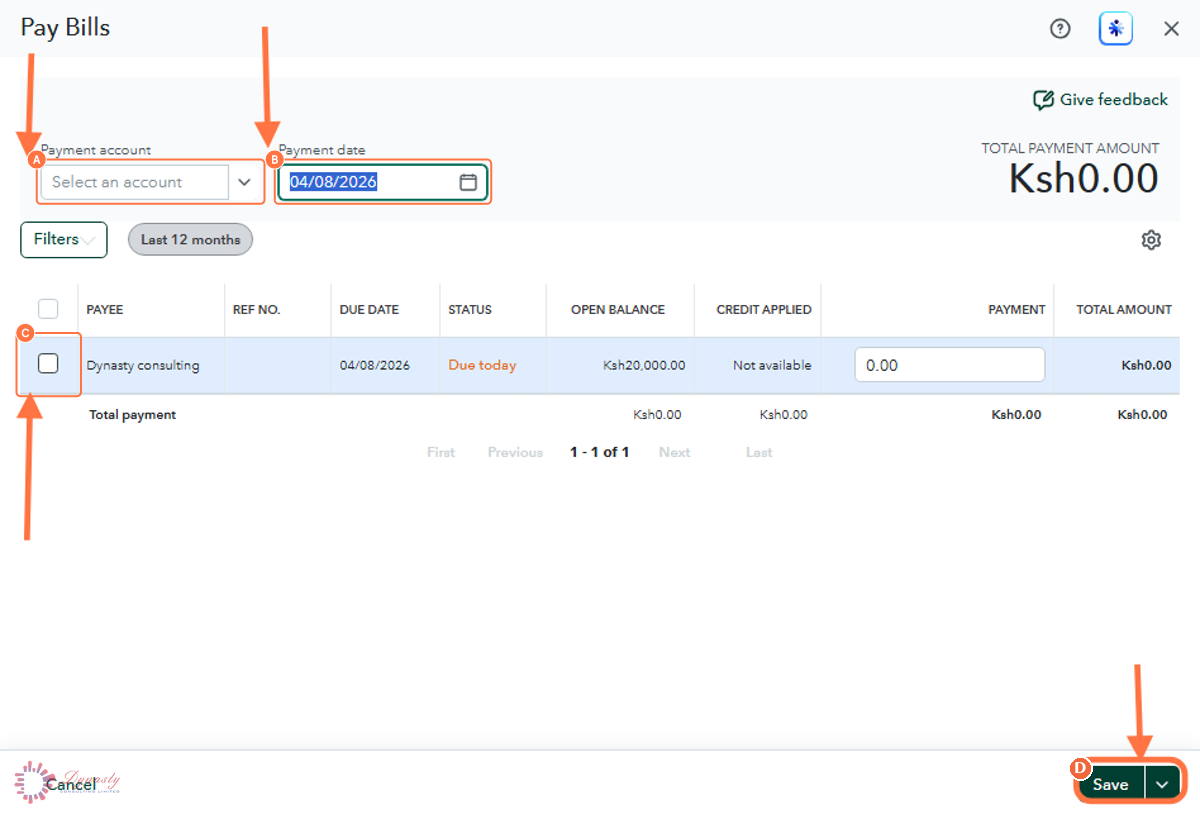
Figure – Completing the payment
How to Pay Bills in QuickBooks Online
Paying bills records the payments you make to suppliers against their outstanding bills. It keeps accounts payable up to date, builds a clean payment history, and stops paid bills from showing as still owing.
Last Updated
Aug 19, 2026
Software
QuickBooks Online 2026
What You Will Learn
By the end of this guide you will be able to open the Pay Bills screen, choose the payment account and date, select the bills to pay, and save the payment.
Before You Begin
The bills you are paying must already be recorded in QuickBooks Online, and you need to know which account the payment is coming from.
Tip
Pay from the account the money actually left. If you pay several bills from one account on the same day, tick them together — QuickBooks records the batch in one sitting.
Step 1 – Open Pay Bills
There are no comments for now.
to be the first to leave a comment.