How to Enable Multi-Currency in QuickBooks Online
How to Enable Multi-Currency in QuickBooks Online
The Multi-Currency feature lets you record transactions in foreign currencies while keeping a single home currency for reporting. It suits businesses that buy from international suppliers or sell to customers abroad.
Step 1 – Open Settings
Click the Settings (gear) icon in the upper-right corner of QuickBooks Online.
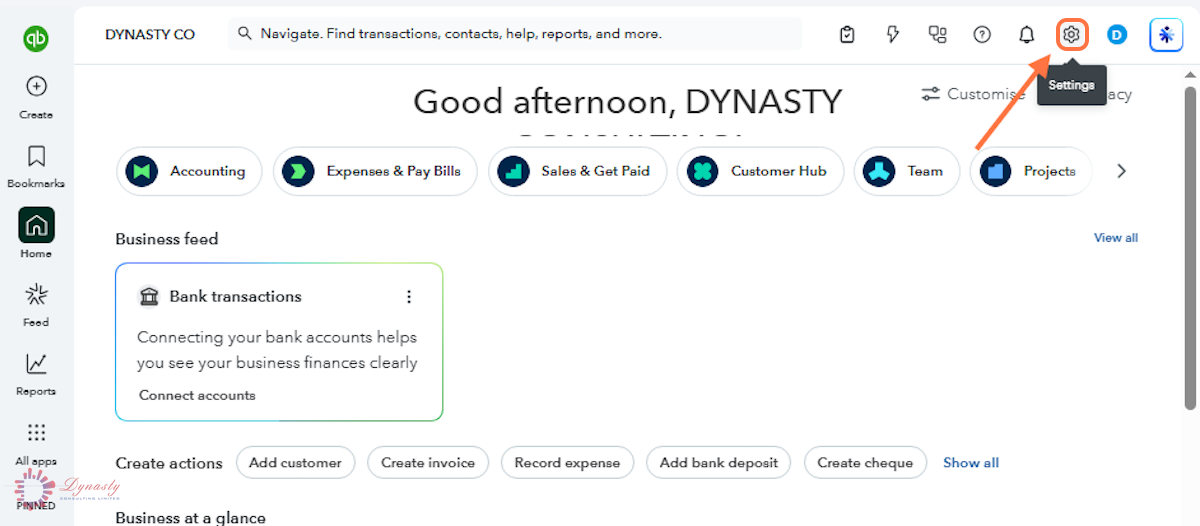
Figure – Opening Settings
Step 2 – Open Account and Settings
Under YOUR COMPANY in the Settings menu, select Account and settings.
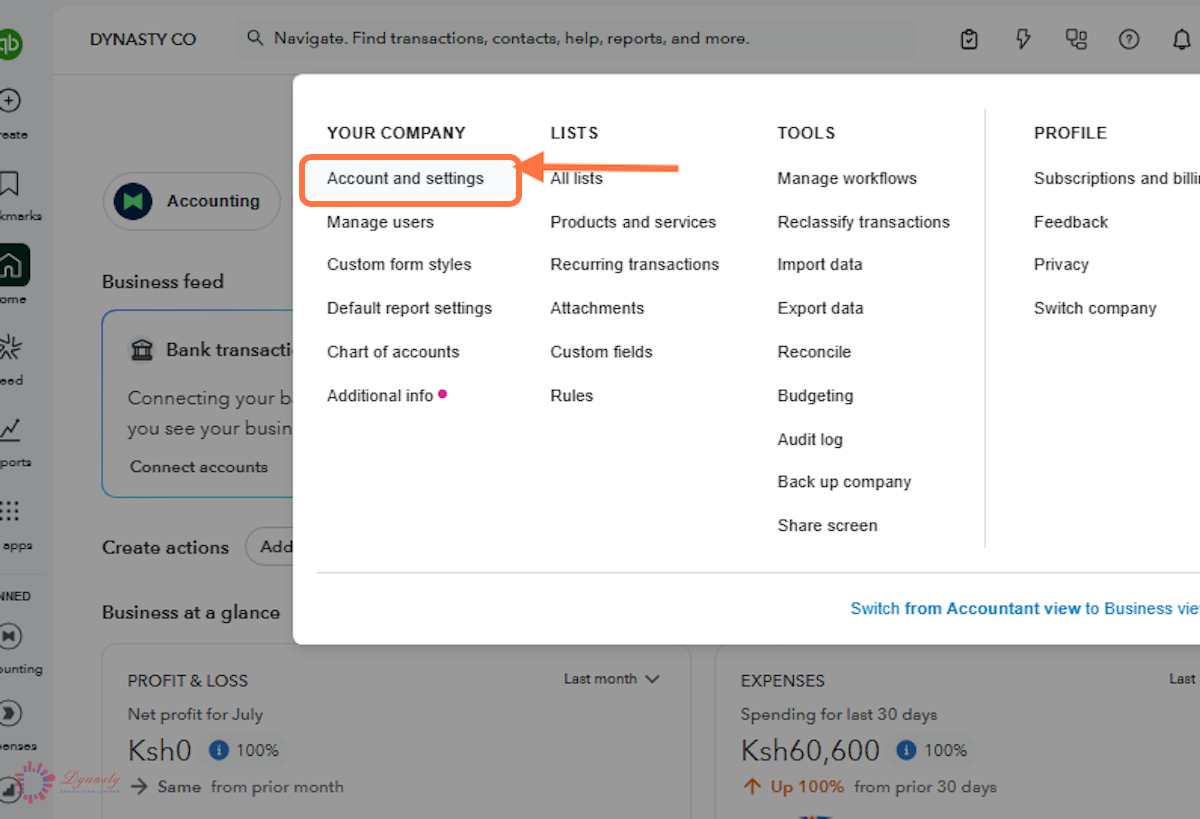
Figure – Opening Account and settings
Step 3 – Open the Currency Settings
A Advanced – Select the Advanced tab to reach company-wide accounting preferences.
B Currency – Scroll to the Currency section to see your home currency and the current Multicurrency status.
C Edit – Click the Edit icon to open the section for changes.
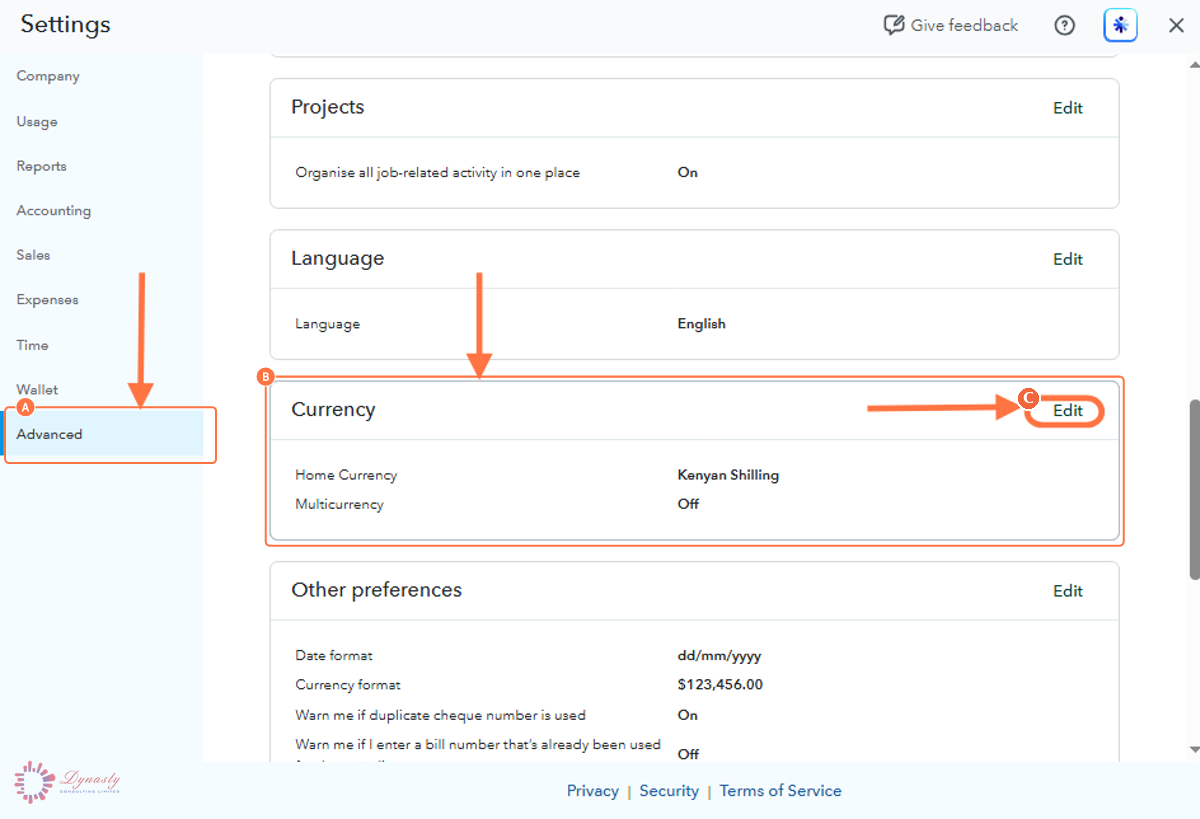
Figure – Opening the Currency settings
Step 4 – Turn On Multicurrency
Check that the Home Currency shown is correct, then switch Multicurrency on. QuickBooks lists what changes once the feature is active: it cannot be turned off, the home currency is locked, extra currency fields are added throughout, and a small number of features stop being available.
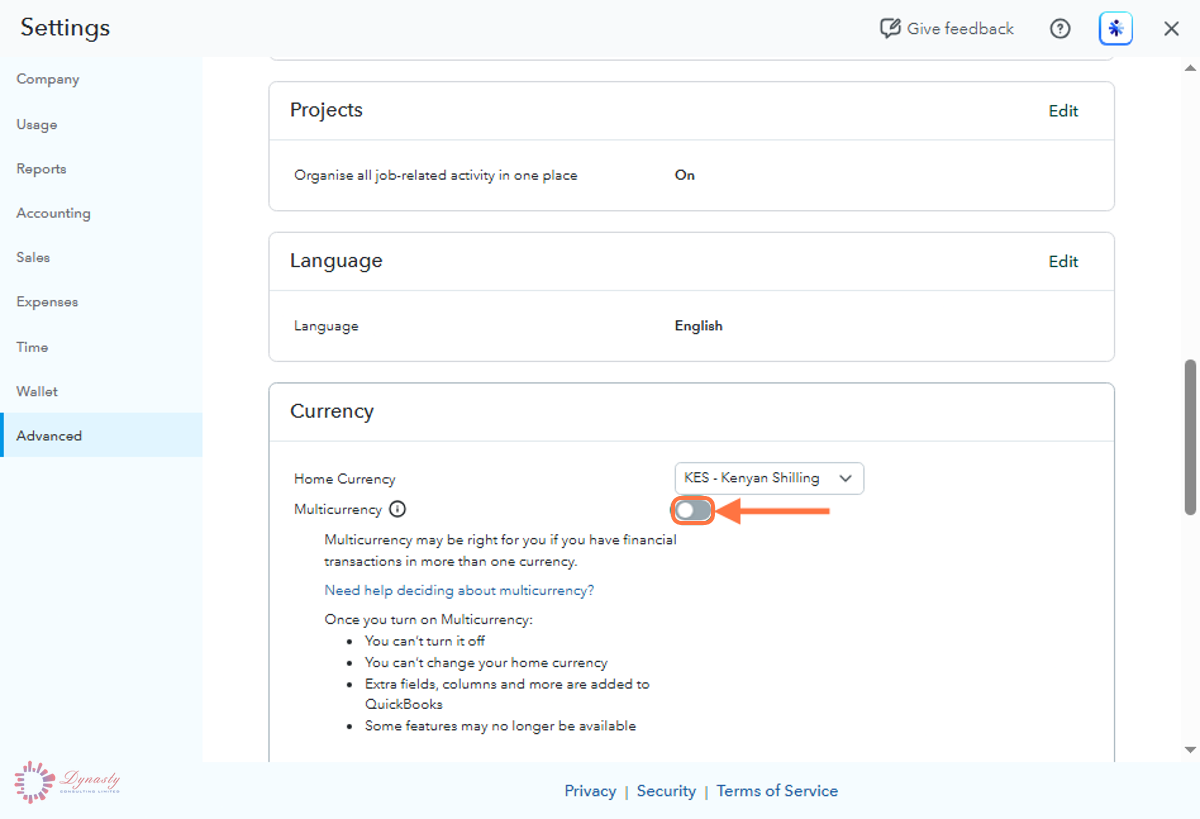
Figure – Switching Multicurrency on
Step 5 – Confirm and Save
Currency fields now appear on customers, suppliers, bank accounts and transactions, and you can add the currencies you trade in under Settings › All lists › Currencies.
A I understand I can’t undo Multicurrency – Tick the box to confirm you accept that the change is permanent.
B Save – Click Save, then Done, to activate the feature.
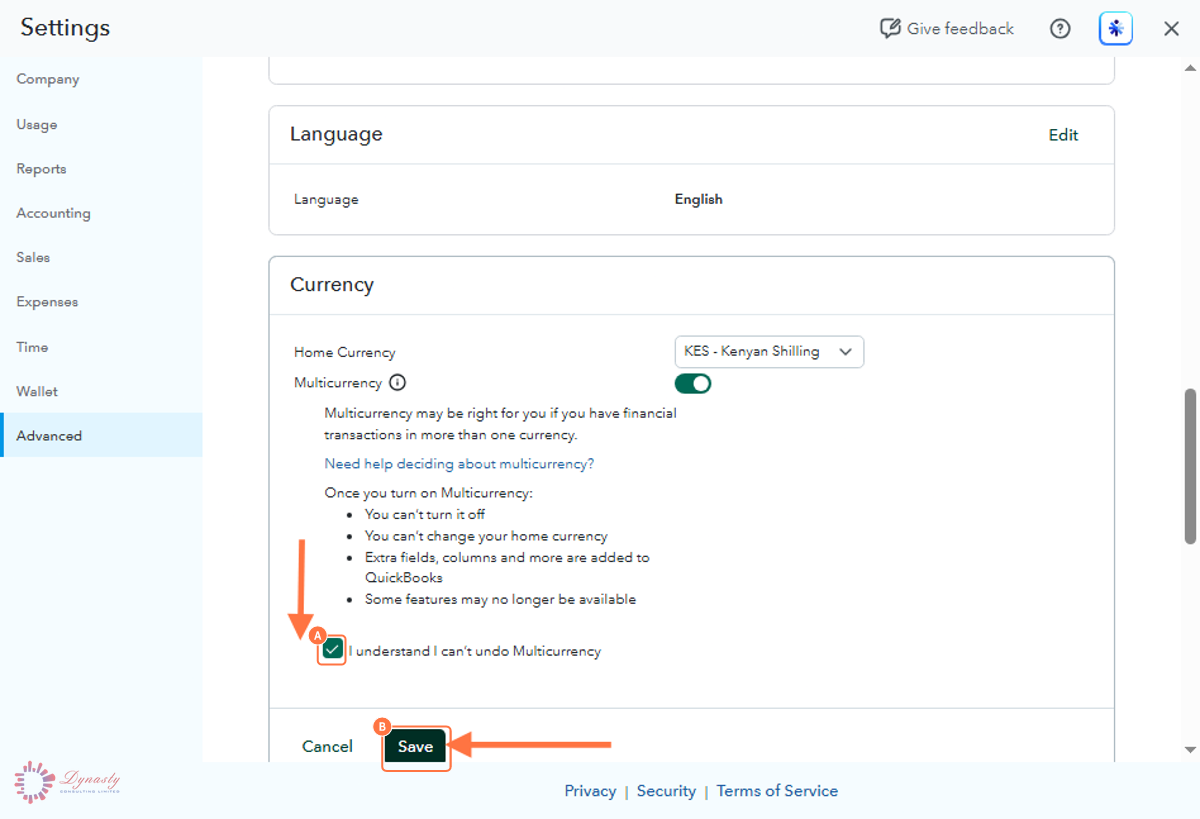
Figure – Confirming and saving the change
How to Enable Multi-Currency in QuickBooks Online
The Multi-Currency feature lets you record transactions in foreign currencies while keeping a single home currency for reporting. It suits businesses that buy from international suppliers or sell to customers abroad.
Last Updated
Aug 19, 2026
Software
QuickBooks Online 2026
What You Will Learn
By the end of this guide you will be able to open the Currency settings, switch Multicurrency on, and confirm the change that QuickBooks cannot undo.
Before You Begin
You need administrator rights, and you must be certain the home currency shown is correct — it cannot be changed once Multi-Currency is on.
Important
Multi-Currency cannot be switched off once it is enabled, and your home currency can no longer be changed. Confirm the home currency is correct before you continue.
Step 1 – Open Settings
There are no comments for now.
to be the first to leave a comment.