How to Change Your Phone Number in QuickBooks Online
How to Change Your Phone Number in QuickBooks Online
Your phone number is held on your Intuit account, not on the company file. It is used to verify your identity when you sign in or make sensitive changes, so it must always be a number you can reach.
Step 1 – Open Your Intuit Account Menu
Click the round profile icon at the top right of the dashboard. It shows the first letter of the signed-in user — D in the example below — and its tooltip reads Intuit Account.

Figure – Opening the profile menu
Step 2 – Click Manage Your Intuit Account
In the panel that opens, click the Manage your Intuit Account link below your name.
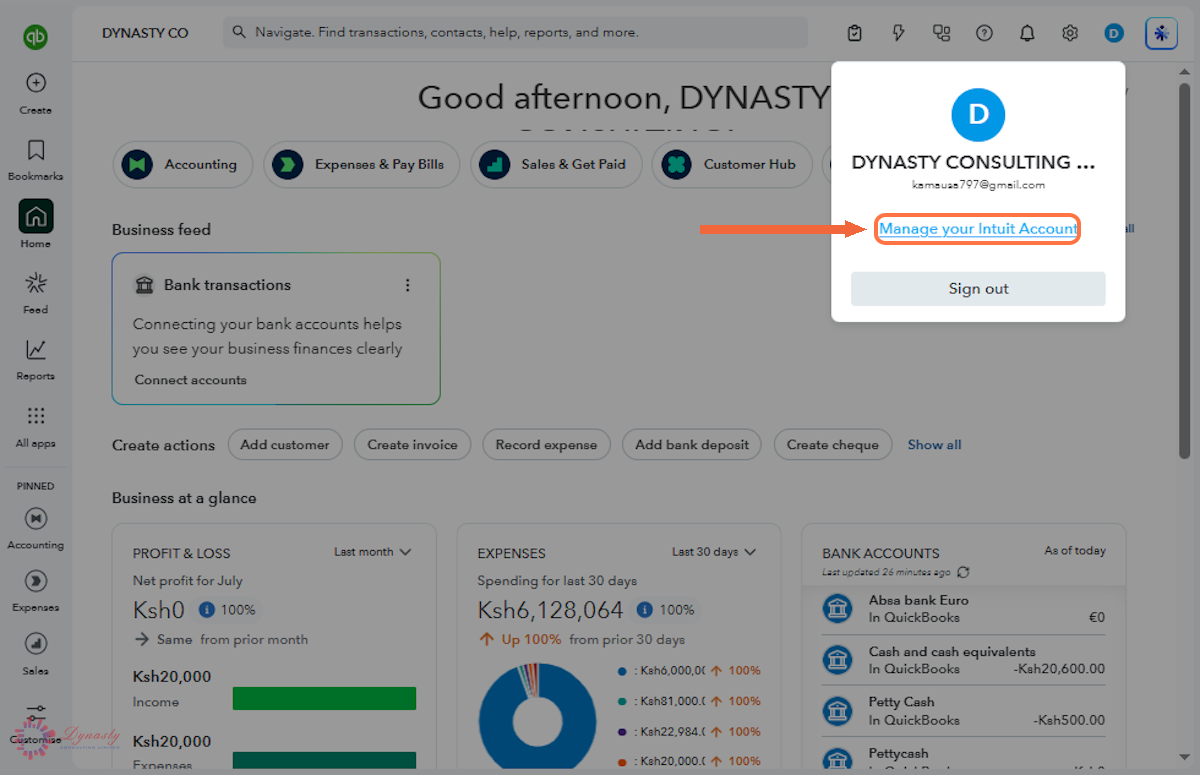
Figure – Opening the Intuit account portal
Step 3 – Choose How to Verify Your Identity
Intuit asks you to verify your identity before it will show your sign-in details. Select Text a code to receive the code by SMS. Email a code and Call with a code work the same way if the phone is unavailable.
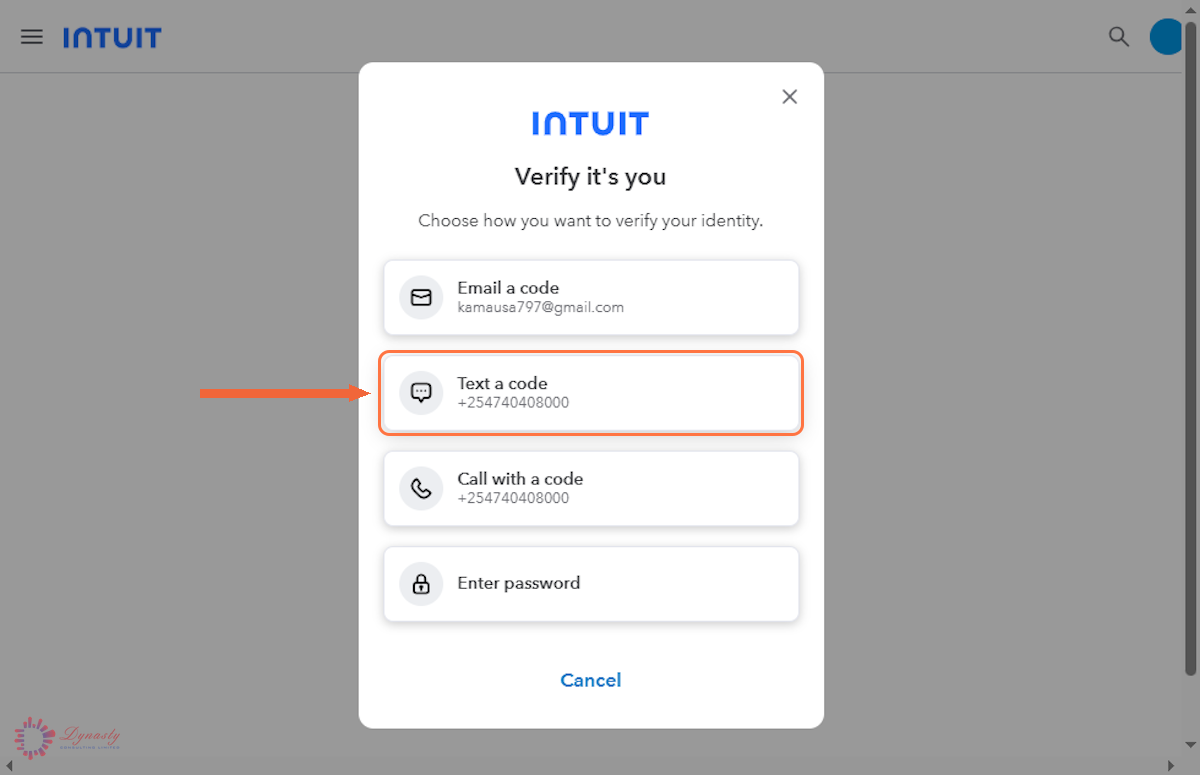
Figure – Choosing the verification method
Step 4 – Enter the Verification Code
Enter the code sent to your phone in the Verification code field, then click Continue. The code in this example has been hidden for security.
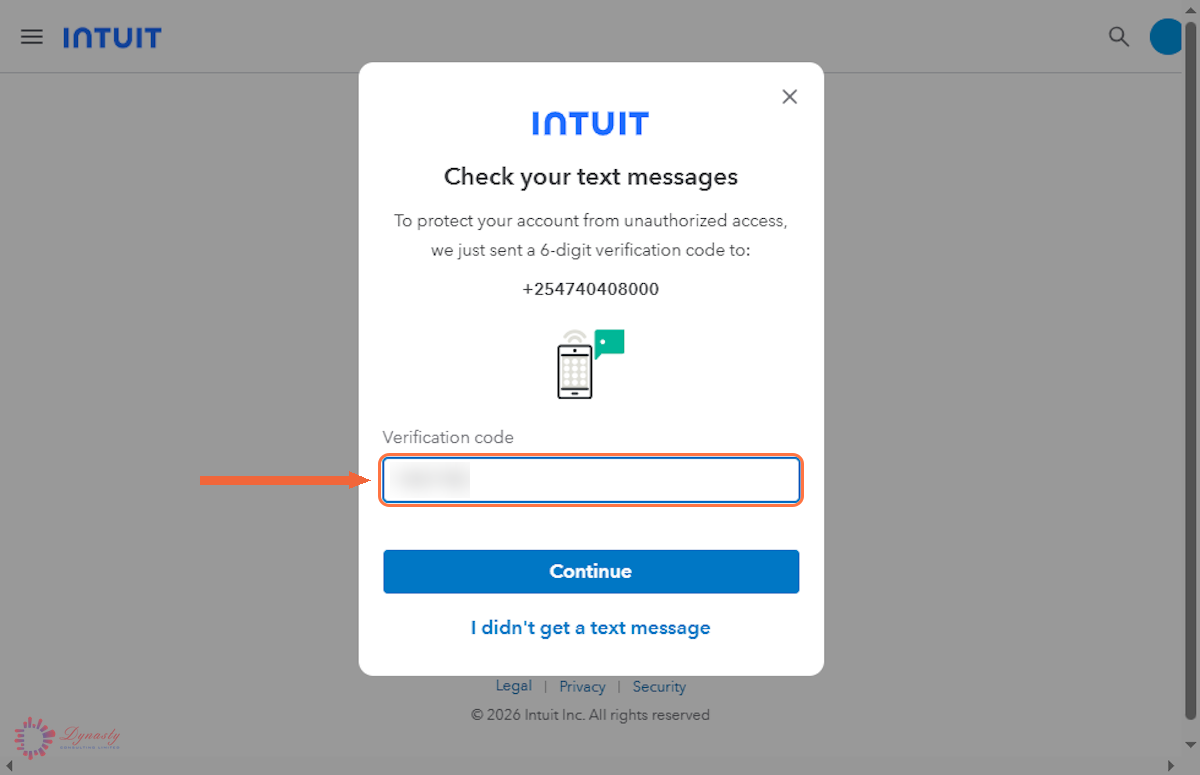
Figure – Entering the verification code
Step 5 – Open Sign In & Security
In the Intuit Account menu on the left, select Sign in & security.
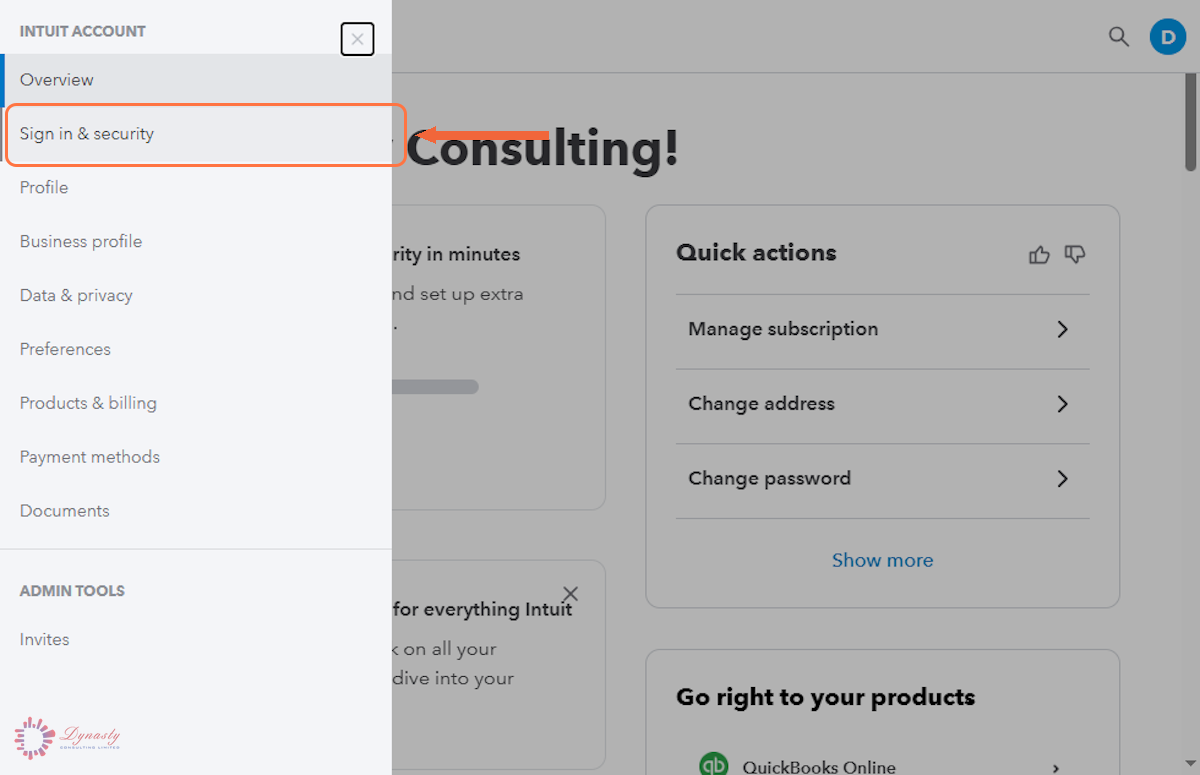
Figure – Opening Sign in & security
Step 6 – Open the Phone Row
The Sign in info panel lists your user ID, email address, password and phone number. Click the Phone row to open it.
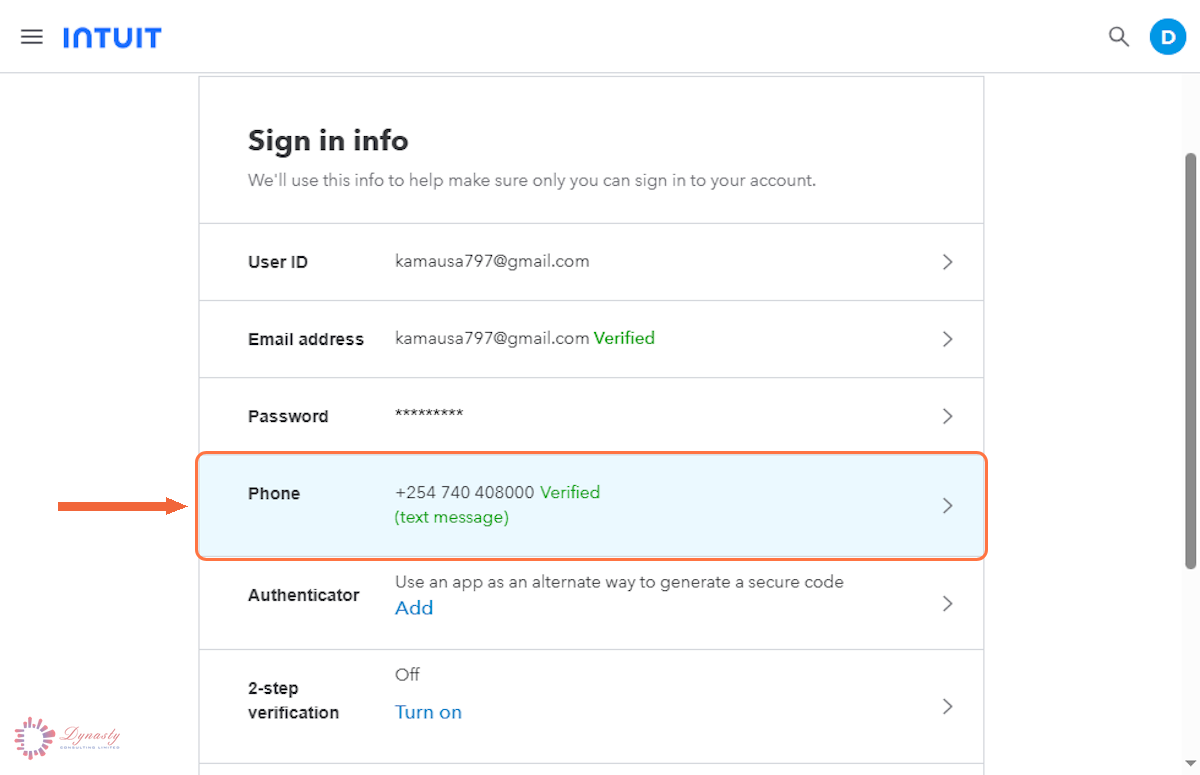
Figure – Opening the phone number
Step 7 – Click Change
Click the Change link beside the number shown at the top of the panel.
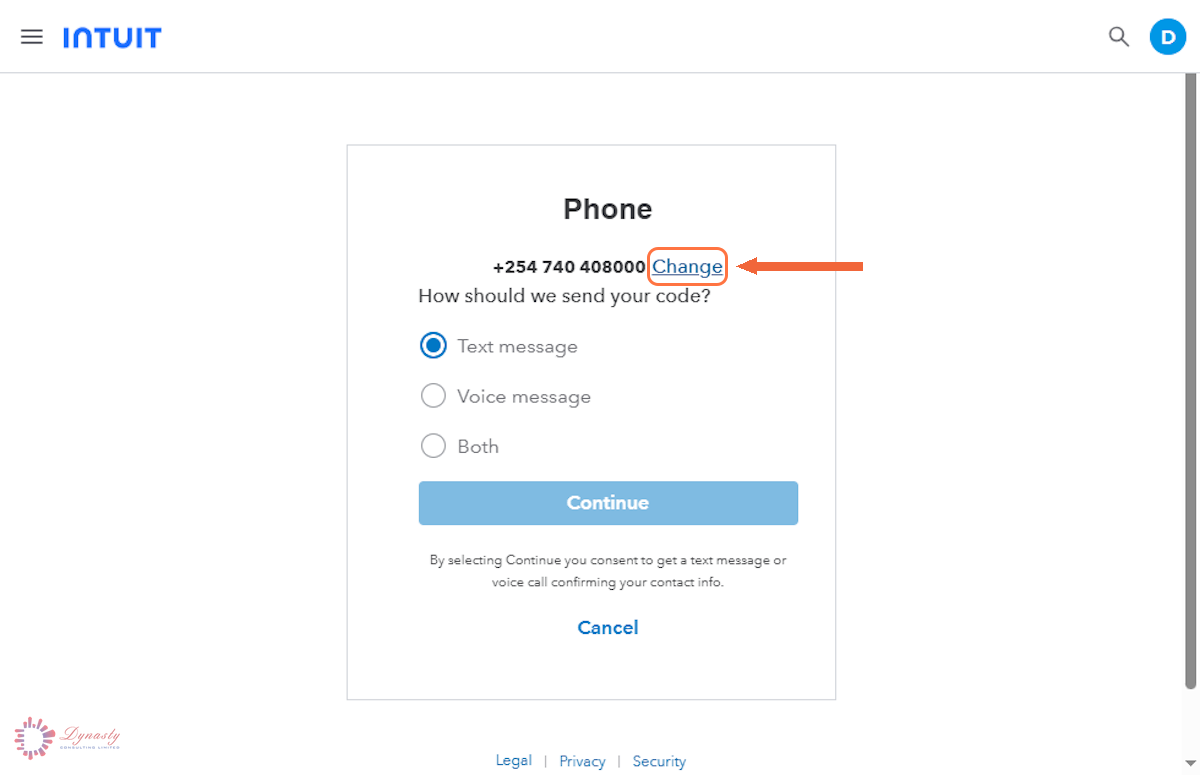
Figure – Choosing to change the number
Step 8 – Enter the New Phone Number
Select the correct country from the flag menu and type the new number.
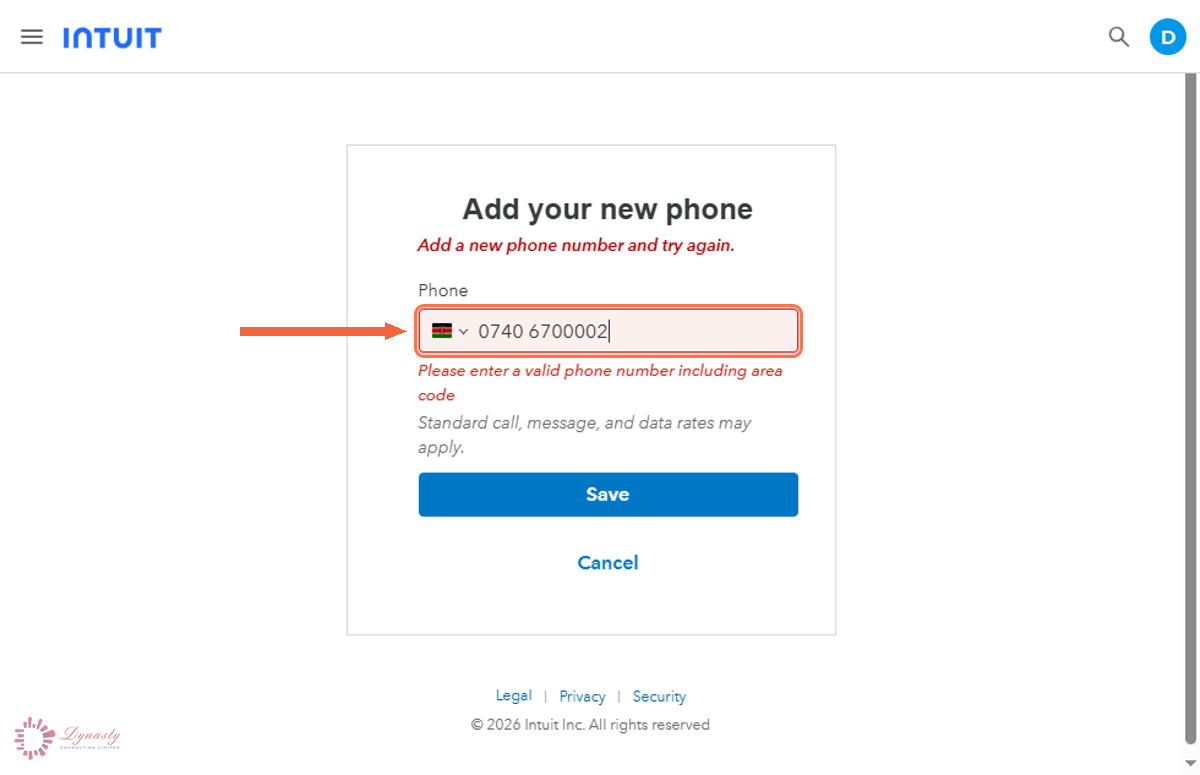
Figure – Entering the new phone number
Step 9 – Send the Verification Code
Choose Text message, Voice message or Both, then click Continue.
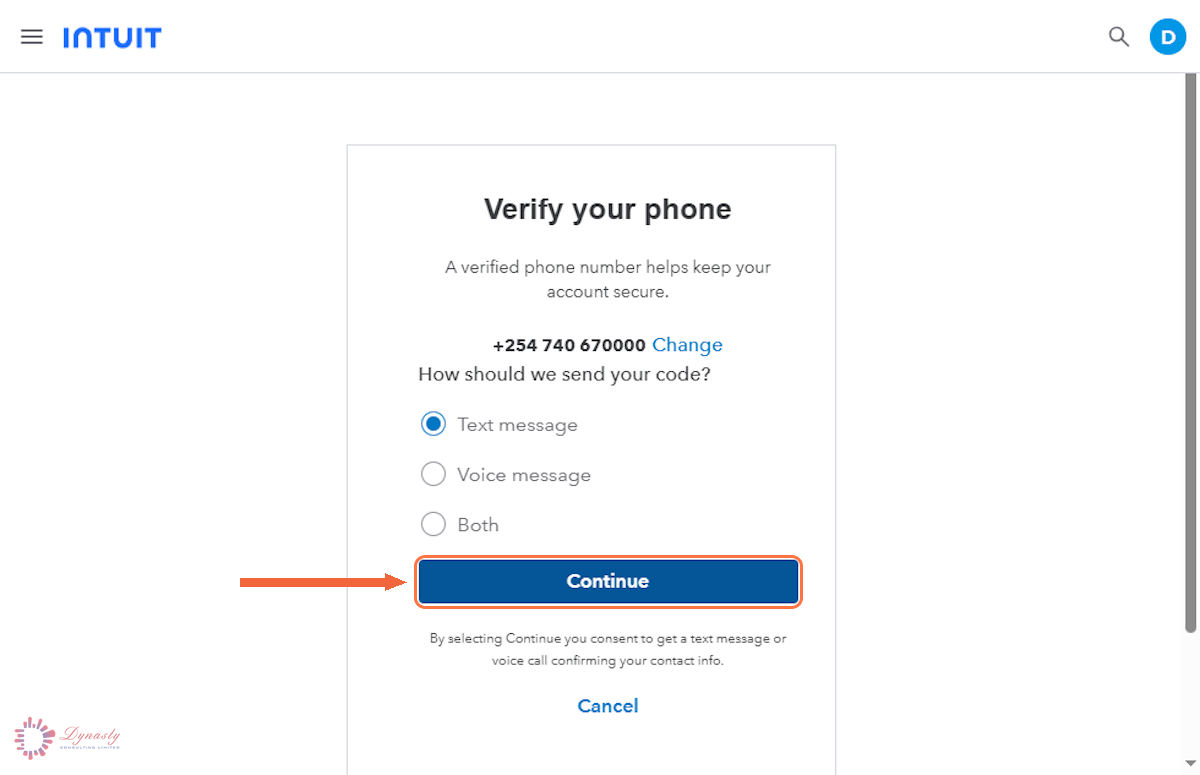
Figure – Sending the code to the new number
Step 10 – Enter the Code and Continue
Enter the code in the field and click Continue. The code in this example has been hidden for security.
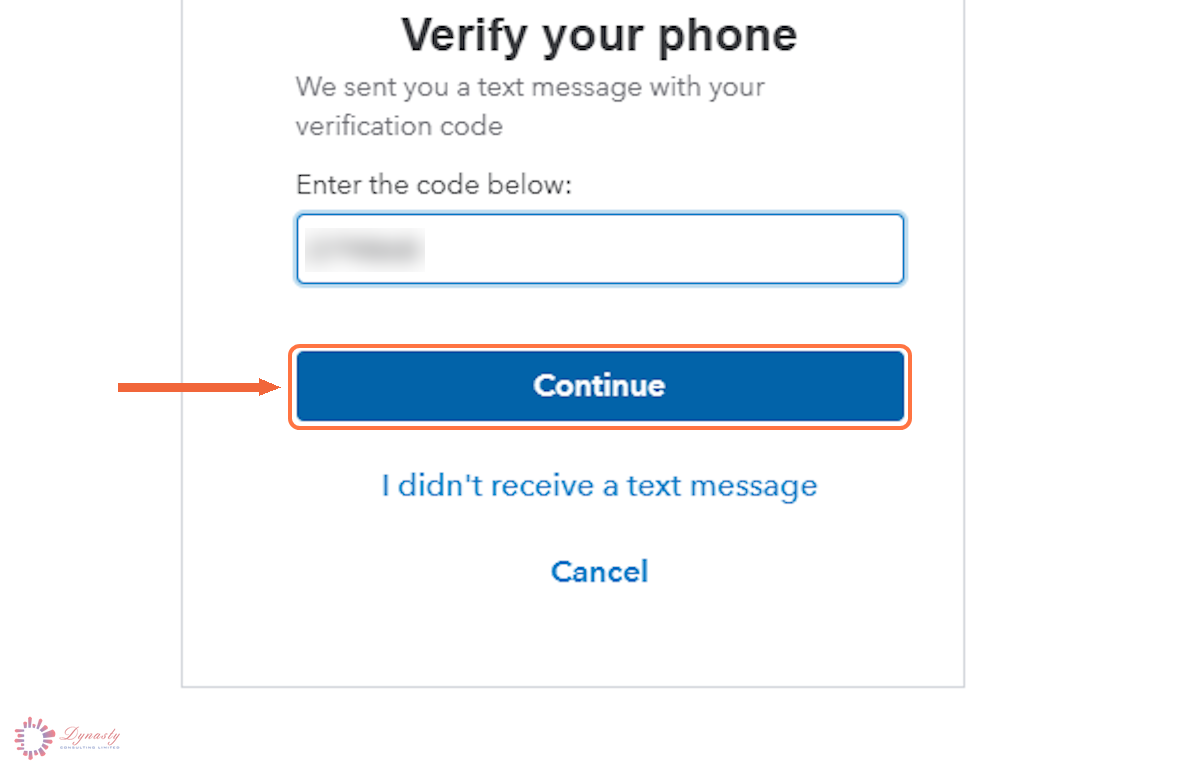
Figure – Verifying the new number
Step 11 – Confirm the New Number
The Phone row now shows the new number marked Verified. The change applies to your Intuit account, so it affects every Intuit product you sign in to with it.
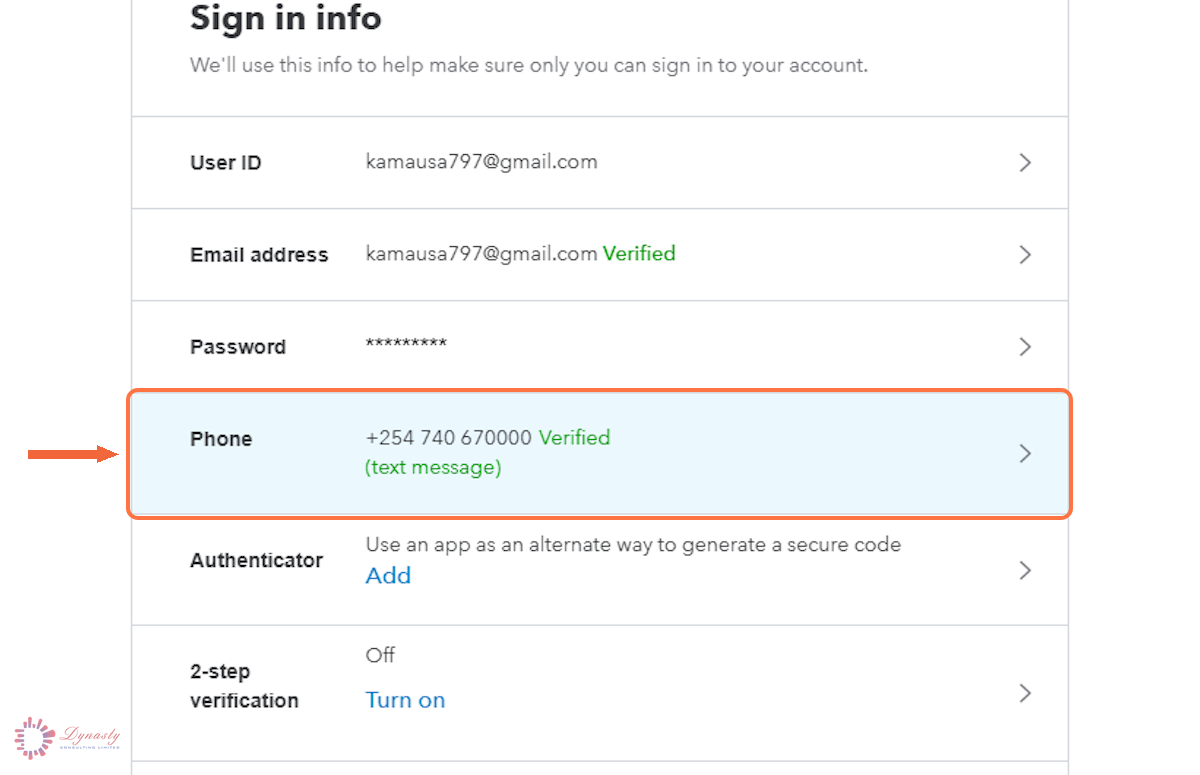
Figure – The new number showing as verified
How to Change Your Phone Number in QuickBooks Online
Your phone number is held on your Intuit account, not on the company file. It is used to verify your identity when you sign in or make sensitive changes, so it must always be a number you can reach.
Last Updated
Aug 18, 2026
Software
QuickBooks Online 2026
What You Will Learn
By the end of this guide you will be able to open your Intuit Account from QuickBooks Online, pass the identity check, replace the phone number held on the account, and verify the new number.
Before You Begin
You need to be signed in to QuickBooks Online, and access to both the current phone number (for the identity check) and the new one (for verification).
Tip
Change the number while you still have access to the old one. If you have already lost access to it, use the Email a code option at the verification screen instead.
Step 1 – Open Your Intuit Account Menu
There are no comments for now.
to be the first to leave a comment.